How to Pick the Right Revenue Cycle Management Software in 2026

Picking the right RCM software healthcare teams can rely on is one of the biggest operational decisions a practice makes. The wrong platform slows down claims, frustrates staff, and quietly drains revenue every month. The right one does the opposite: it tightens your billing cycle, reduces denials, and gives you visibility into where your money actually is.
This guide breaks down what to look for, the mistakes to avoid, and how to evaluate your options without getting lost in vendor marketing.
Try billrMD for Free
Why Choosing the Right RCM Software Matters
Revenue cycle management affects nearly every financial process in a practice, from the moment a patient books an appointment to the day a claim gets paid. When that process runs on outdated software, the effects show up quickly: delayed reimbursements, rising denial rates, and staff spending hours on manual rework, all of which impact patient care.
Denials are already growing across the industry and have climbed to 20% for some, with severe financial impact. Choosing RCM software solutions built for accuracy and automation is no longer a nice-to-have. It is the very core of protecting your bottom line.
If you're still contemplating whether a full medical billing software upgrade is worth it, our breakdown of
transforming RCM with the right practice management software walks through the operational case in more detail.
Key Features to Consider in RCM Software
Not every platform marketed as a top RCM software solution actually delivers where it counts. Here's what you can prioritize during evaluation.
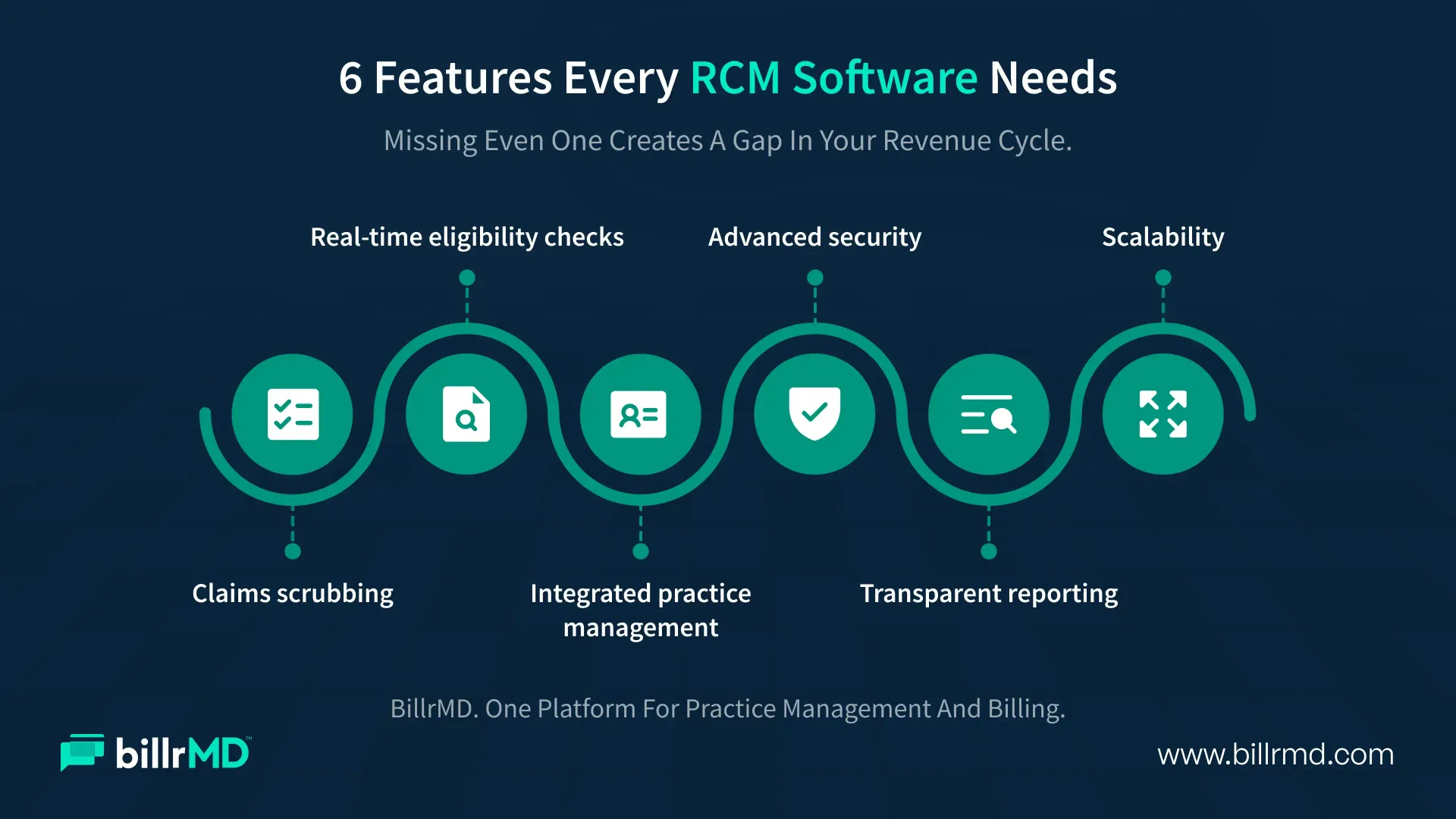
Claims scrubbing and automated submission
Look for software that checks claims for errors before they go out. This single feature can be the difference between a clean first-pass acceptance and weeks of resubmission.
Real-time eligibility verification
Confirming coverage before the appointment cuts down on denials tied to eligibility issues, one of the most preventable and most common denial causes.
Integrated practice management
A platform that connects scheduling, coding, billing, and reporting in one system avoids the data gaps that happen when practices juggle separate tools. Understanding the full medical billing process from claims to payments makes it clear how many handoff points exist, and how each one is a chance for something to go wrong without a unified system.
Advanced security RCM software protections
Patient financial and health data are targets. HIPAA-compliant encryption, access controls, and audit trails are paramount. Data breaches affecting 500 or more individuals continue to be reported by regulated entities in nearly every U.S. state each year. This makes vendor security posture a non-negotiable evaluation point.
Transparent reporting and analytics
You need to see denial trends, days in accounts receivable, and payer performance at a glance, not buried in a spreadsheet you build yourself every month.
Scalability
Whether you're a solo practice or a multi-location group, your software should grow with you instead of requiring a full replacement in two years.
Common Mistakes to Avoid When Choosing RCM Software
Even well-intentioned practices make avoidable mishaps during the selection process, and those often cost more than the software itself.
Focusing only on price
The cheapest option often lacks the automation and support that reduce denials. A low sticker price that leads to more manual rework isn't a real savings.
Ignoring integration compatibility
RCM software that doesn't connect cleanly with your existing EMR or scheduling tools creates the same data silos you were trying to eliminate.
Skipping the demo with real workflows
A generic sales demo looks polished. Testing the software against your actual claim types, payer mix, and daily volume tells you far more.
Underestimating onboarding and training needs
Even the best RCM medical billing software takes time to implement well. Practices that rush this step often see a shaky first few months that could have been avoided with proper training.
Overlooking security credentials
Not every vendor that claims HIPAA compliance backs it up with real encryption, access controls, and audit logging. Ask for specifics, not just a checkbox.
Advantages of Choosing the Right RCM Software
When practices land on the right fit, the benefits tend to show up in a few consistent places.
Faster reimbursements
Clean claims and automated eligibility checks mean fewer rejections and quicker payer turnaround.
Lower denial rates
Built-in scrubbing and coding accuracy catch mistakes before submission, not after.
Reduced administrative burden
Staff spend less time on manual data entry and more time on patient-facing work.
Better financial visibility
Real-time dashboards give practice leaders the numbers they need to make decisions instead of guessing.
Stronger compliance posture
The right RCM medical billing software keeps your practice aligned with evolving payer rules and federal regulations without the need for manual monitoring.
These advantages compound. A practice with fewer denials and faster payments has more predictable cash flow, which makes staffing, budgeting, and growth planning easier across the board. Staying current on where the industry is headed also matters here.
Our take on
medical billing trends covers where automation and AI-assisted claims management are pushing the industry next.
Questions to Ask Before You Sign a Contract
Before committing to any RCM software solutions provider, a short list of direct questions can save months of frustration later.
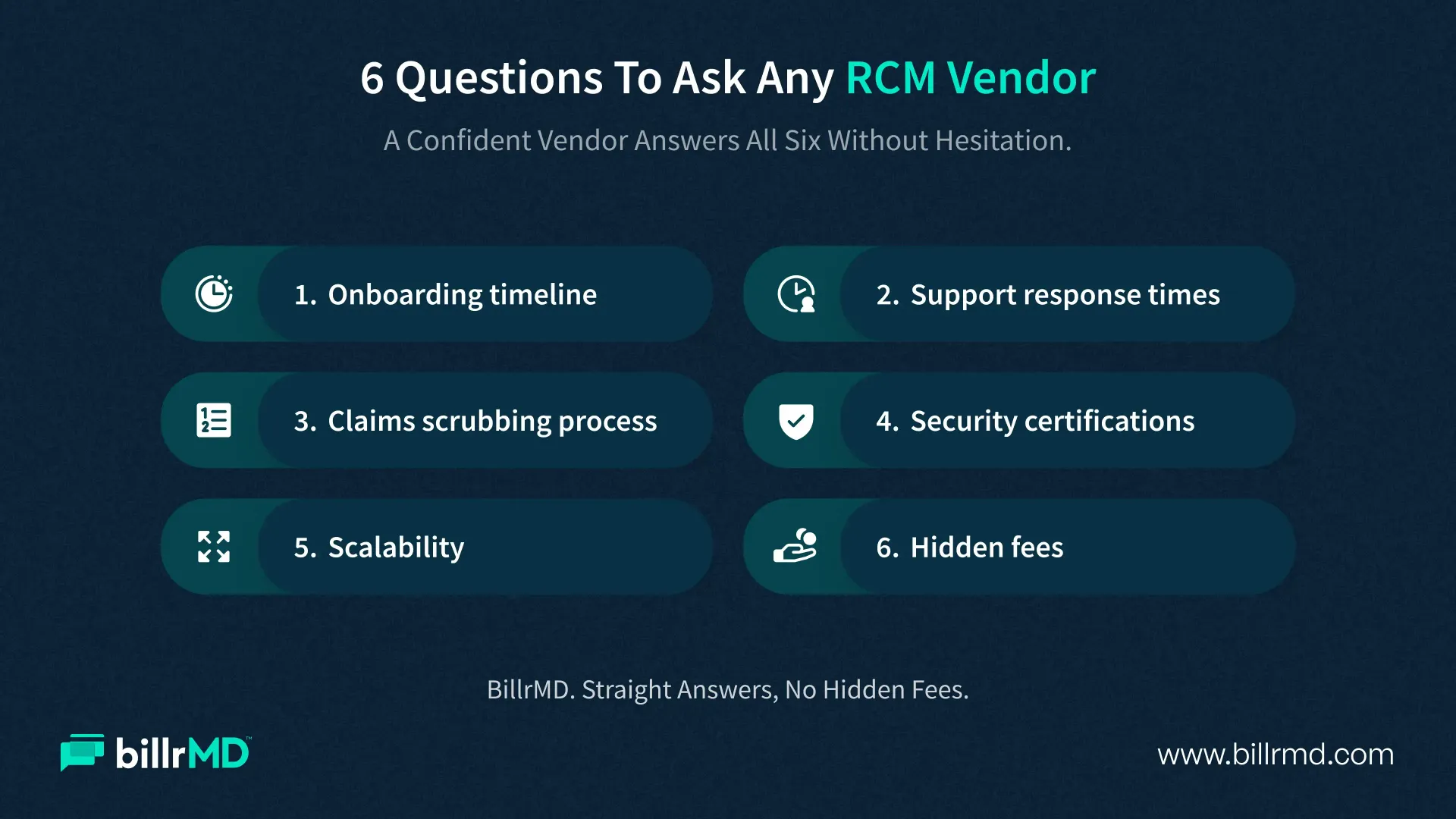
- What does the onboarding timeline really look like, start to finish?
- Is customer support included, and what are the response time guarantees?
- How does the platform handle claims scrubbing errors, automatically or manually?
- What specific security certifications and safeguards are in place?
- Can the software scale if the practice adds providers or locations?
- Are there hidden fees for claim volume or premium reporting?
A vendor that answers these clearly and without hesitation is usually one worth trusting. A vendor that smartly dodges specifics is a sign that you should keep exploring options.
Why billrMD Is the Best Revenue Cycle Management Software
For practices, billing companies, laboratories, and IDTFs looking for RCM software for healthcare providers that actually delivers on its promises, billrMD stands out for a few reasons.
All-in-one platform
billrMD combines practice management and medical billing in a single, cloud-based system. Scheduling, code and charge entry, claims scrubbing, electronic submission, remittance processing, and patient invoicing all live in one place. This eliminates the data gaps that come from patching together separate tools.
Built for accuracy
billrMD's claims scrubbing and eligibility verification features are designed to catch errors before submission, ensuring a strong first-pass acceptance rate and fewer denials to chase down later.
Security by design
billrMD is HIPAA-compliant with secure data storage, giving practices the advanced security RCM software protections that patient data demands, without requiring an in-house IT team to manage it.
Shared platform advantage
When a billing company and the practices it serves both use billrMD, communication gaps shrink. Everyone works from the same data, which reduces errors and speeds up the whole revenue cycle.
Accessible and free to start
billrMD offers a free account with no credit card required, so practices can explore the platform's core features before committing to premium tools.
If you're comparing best revenue cycle management software options, billrMD's combination of practice management depth, billing accuracy, and security makes it a strong fit for organizations that want one system instead of five. And for practices that also handle a high volume of patient statements, billrMD's invoicing tools round out the picture as complete RCM software healthcare providers can rely on end-to-end.
RCM Efficiency In Action
Frequently Asked Questions
What is revenue cycle management software?
RCM software manages the financial process of a healthcare practice from patient scheduling and eligibility verification through claims submission, payment posting, and reporting.
How do I know if my practice needs new RCM software?
Rising denial rates, slow reimbursements, manual reporting, and staff spending excessive time on billing tasks are all signs it may be time for a software upgrade.
Is cloud-based RCM software secure?
A well-built cloud platform with HIPAA-compliant encryption, access controls, and regular security audits can be more secure than legacy on-premise systems, which often lack the same level of ongoing maintenance.
Can small practices benefit from RCM software as much as large ones?
Yes. Smaller practices often see an outsized benefit because automation reduces the administrative load on lean teams without dedicated billing staff.
Does billrMD work for billing companies as well as practices?
Yes. billrMD is built for medical practices, billing companies, laboratories, and IDTFs, and works especially well when partner organizations share the same platform.
Recent Posts