How to Choose a Medical Billing Software That Actually Fits Your Practice
Choosing a new billing software is a big decision, and it affects your whole practice, be it cash flow, staff workload, or patient trust. Pick wrong, and you get more denied claims, slower payments, and a frustrated team. Pick right, and the software starts paying for itself within months.
This guide breaks down how to choose a medical billing software that fits your practice. You'll learn what the software does, which features matter most, how to compare vendors fairly, and the mistakes practices make during rollout.
Run a Smooth Practice
What Is Medical Billing Software?
Medical billing software handles the financial side of patient care. It turns clinical visits into clean claims, submits them to payers, tracks payments, and flags anything that needs follow-up.
Most modern platforms bundle billing with scheduling, patient records, and reporting into one system. That combination is usually called practice management software, and it's worth knowing the difference before you shop. Some vendors sell billing alone; others sell the full package.
Either way, the job is the same: submit claims correctly the first time and get paid faster.
Key Features to Look for in Medical Billing Software
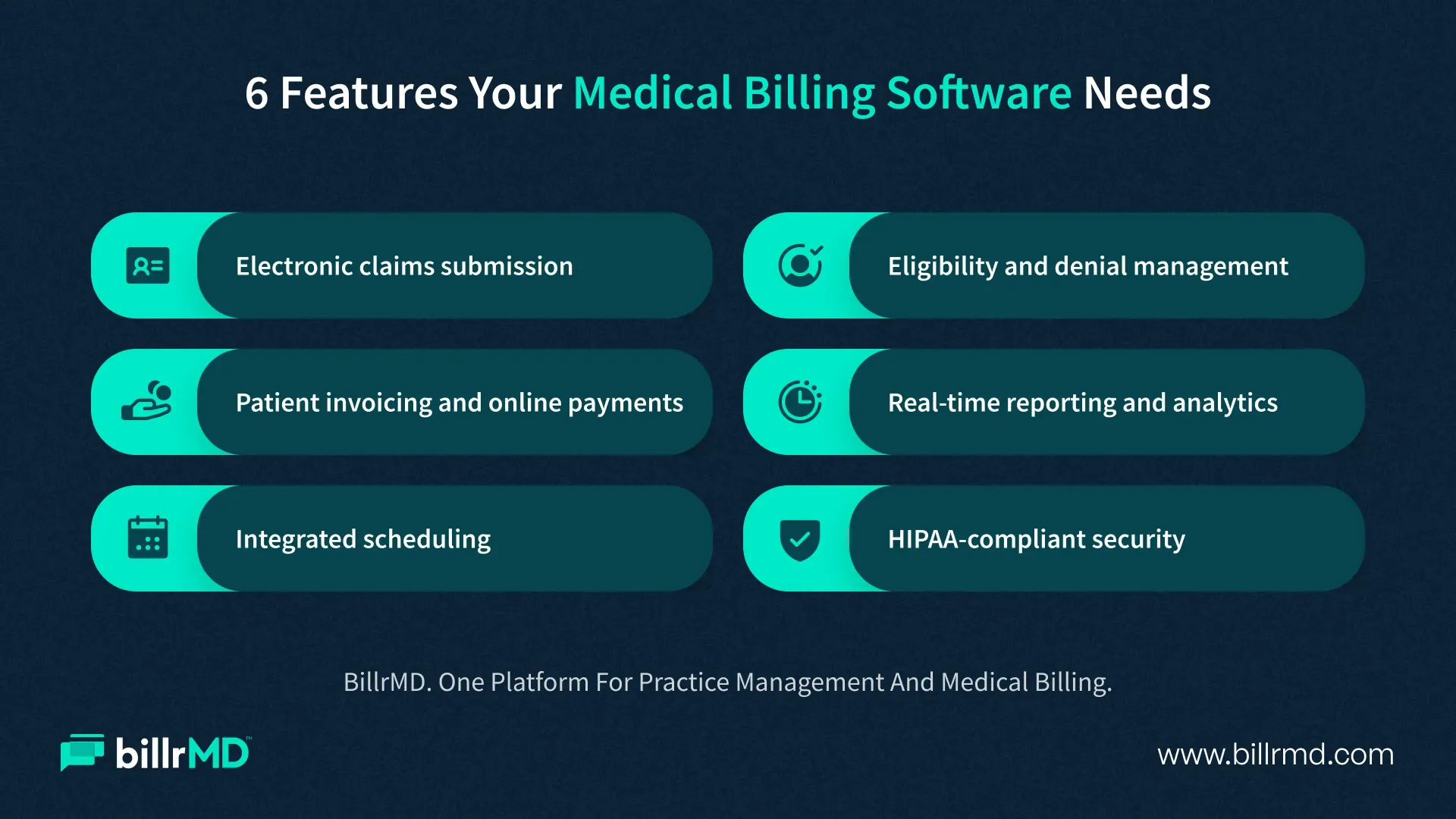
Every vendor claims their platform does everything. Here's what to look for when you compare medical billing software features.
Electronic claims submission
Your software should submit claims electronically through an integrated clearinghouse and catch coding errors before submission, not after a denial. billrMD's
electronic claims submission tool flags problems in real time and still supports paper claims when a payer requires them.
Denial and eligibility management
Look for automatic eligibility checks and a clear workflow for reworking denied claims. Denials consume more staff time than almost anything else in billing.
Patient invoicing and payments
Patients expect the same payment experience they get from any other business: clear statements, online payment options, and a portal they can check anytime.
Reporting and analytics
You can't fix what you can't see. Strong
reporting and analytics show your collection rate, days in accounts receivable, and denial trends at a glance.
Scheduling and workflow tools
Billing doesn't happen in isolation. A scheduler in sync with your billing module cuts down on no-shows and keeps revenue cycle moving.
Security and compliance
Confirm the platform is HIPAA-compliant, encrypts data, and backs up daily. Get this in writing before you sign anything.
For a deeper breakdown of each item, see our
practice management software features guide.
How to Evaluate and Compare Medical Billing Software
Once you know what to look for, the harder part is comparing medical billing software solutions side by side without getting lost in sales pitches.
Start with your denial rate
If it's climbing, you're not alone. In the first half of 2026, Final denial rates grew by
9.1%, now affecting 2.89% of accounts receivable. Commercial recoupments jumped 12%, affecting 2.25% of accounts receivable. Ask any vendor exactly how their platform reduces denials, and ask for real numbers, not a feature list.
Next, look at total cost
Total cost isn’t just the monthly fee. Setup fees, per-claim charges, and add-on modules can double your real cost. Our breakdown of medical billing software cost walks through what to budget for.
Ask about integration
Your billing software needs to connect cleanly with your EHR, your clearinghouse, and your patient portal. A platform that can't integrate becomes its own silo, and silos cost time.
Check support and training
Ask how fast support responds and whether you'll have a dedicated contact during onboarding. This matters most for practices too lean to troubleshoot alone.
Read reviews from practices your size
A platform built for hospital systems can be overkill for a small practice. Look specifically for feedback on top medical billing software platforms serving practices like yours, since billing software for medical groups of different sizes performs differently in real use.
Finally, ask for a live demo using your own sample data, not a generic walkthrough. It's the fastest way to see how the software handles your workflow.
Implementation Tips and Common Mistakes to Avoid
Picking the right software is only half the job. A rushed rollout can undo months of research.
Set a realistic timeline:
Migrating claims history, patient balances, and payer setups takes weeks, not days. Build in extra time for testing before you submit live claims.
Clean your data first:
Duplicate patient records and outdated payer information migrate right along with everything else if you don't fix them first.
Train your whole team:
Front desk staff who collect accurate insurance information upfront prevent a large share of denials before a claim even exists.
Run a brief parallel period:
Many practices keep their old system active for a short overlap while confirming the new one works correctly.
Don't skip payer enrollment:
Each payer needs your new software's information on file before claims process cleanly. This step gets missed more often than it should. billrMD promises a 30-day go-live that includes training and payer enrollments.
Administrative load is a real cost too. A report shows
40% of practices now assign multiple full-time staff per physician just to manage payer rules and compliance work. A well-implemented system directly cuts that load.
Why Practices Choose billrMD
billrMD is fully web-based practice management and medical billing
software built for medical practices, billing companies, labs, and IDTFs. There's nothing to install, since it runs entirely in your browser and on any device with internet connectivity.
The platform combines electronic claims submission, real-time eligibility checks, patient invoicing, credit card processing, and built-in reporting in one system. Practices get billrMD without stitching together separate tools and paying for each one individually.
Our experienced healthcare billing team provides support, and setup includes guided onboarding rather than generic help. If claims accuracy, faster payments, and clearer reporting matter to your practice, billrMD is worth a look before you sign with anyone else.
Conclusion
There's no single answer to how to choose a good medical billing software, since the right fit depends on your practice size, specialty, and current pain points. What matters is working through the process deliberately: know your must-have features, compare real costs, check integration, and test the platform with your own data before committing.
Practices that take this approach avoid the two costliest mistakes: choosing software that looks good in a demo but fails at scale, and sticking with an outdated system out of habit.
Try billrMD Risk-Free
Frequently Asked Questions
What is the best medical billing software for small practices?
There's no single best option for every practice. Look for cloud-based platforms with transparent pricing, strong claims scrubbing, and support built for practices your size rather than enterprise hospital systems.
Can I switch medical billing software without losing my data?
Yes, but it takes planning. A good vendor helps migrate patient records, claims history, and payer information. Most switches take several weeks to complete properly.
Is cloud-based medical billing software safe?
Reputable cloud-based platforms are HIPAA-compliant, encrypt data in transit and at rest, and run regular backups. Confirm these details in writing before choosing a vendor.
How long does implementation usually take?
Most practices need four to eight weeks for a full transition, including data migration, staff training, and payer enrollment, depending on practice size and complexity. billrMD promises 30 days of implementation that includes training and payer enrollment.
Recent Posts