How to Improve Clean Claim Rate in Medical Billing: 7 Steps

Your billing software or clearinghouse probably shows how many claims were rejected last month. That count means little without your total claim volume. Forty rejections is a good month for a practice sending 2,000 claims and a bad one for a practice sending 300. Your clean claim rate turns the count into a percentage you can compare month to month and payer to payer.
This guide explains the calculation, how it works through an example, and outlines seven checks your practice can use to catch preventable claim errors.
Get Claims Paid the First Time
What Is Clean Claim Rate in Medical Billing?
Clean claim rate measures the percentage of claims that pass a practice's claim-processing edits on the first scrub without manual intervention. A clean claim includes all required information and passes configured checks without staff needing to correct it.
Common problems include incorrect patient or insurance details, missing required information, invalid codes, and payer-specific billing edits that flag a claim for correction.
Rejections and denials occur at different stages. A clearinghouse or payer rejection means the claim must be corrected before it can proceed to adjudication. A denial occurs after the payer adjudicates the claim.
The
HFMA clean claim rate doesn't measure either outcome directly; it tracks claims that pass internal edits before submission. Tracking rejections and denials separately helps identify issues your initial claim checks miss.
How to Calculate Clean Claim Rate in Medical Billing
Clean claim rate = (Claims passing first-pass edits without manual intervention ÷ Total claims accepted into the claims-processing tool for billing) × 100
For example, your practice loads 800 claims into its claims-processing tool. If 96 require manual intervention during the first scrub, 704 pass without intervention.
704 ÷ 800 × 100 = 88%
Use the same measurement method and reporting period each time. Break the results down by payer and error type to identify recurring problems.
What Is a Good Clean Claim Rate?
HFMA provides a standardized method for calculating clean claim rate, but its MAP Keys definition does not establish the 95%, 97%, or 98% targets. These targets are industry norms.
You can use 95% as an operating target, provided you define the metric and apply the calculation consistently. Compare your results with your own historical performance and investigate recurring errors by payer and error type.
Do not assume a rate below 90% automatically points to a front-desk or coding problem. Review the errors your claims-processing tool identifies before deciding where to make changes.
What a Low Clean Claim Rate Costs Your Practice
Every dirty claim adds work. Staff find the error, correct it, resubmit, and wait again. Cash arrives later, and some claims never get reworked.
Run the numbers. A practice sending 1,000 claims a month at 88% fixes 120 of them. At 95%, that drops to 50. Your team chases 70 fewer claims every month.
The pressure shows up in the data. In a
poll, 48% of 288 respondents identified denials and appeals as their biggest revenue cycle leak. Another 23% cited front-end issues, including eligibility and benefits accuracy.
Common Claim Errors and Denial Risks
Common problems that cause claim rework or payment delays include:
- Wrong or outdated patient demographics and insurance ID numbers
- Coverage that changed since the last visit
- Missing, expired, or mismatched prior authorization
- Coding errors, including CPT and ICD-10 mismatches and wrong modifiers
- Notes that do not support the billed service
- Payer-specific billing edits that your team or software has not accounted for
- Missed filing deadlines, which may result in a timely-filing denial
Documentation deserves special attention. A claim can pass initial edits and still be denied if the medical record does not support the billed service. Keep documentation complete and consistent with the services and codes submitted.
Our guide to the
top denial reasons in medical billing covers what happens after these errors reach a payer.
Steps to Improve Your Clean Claim Rate
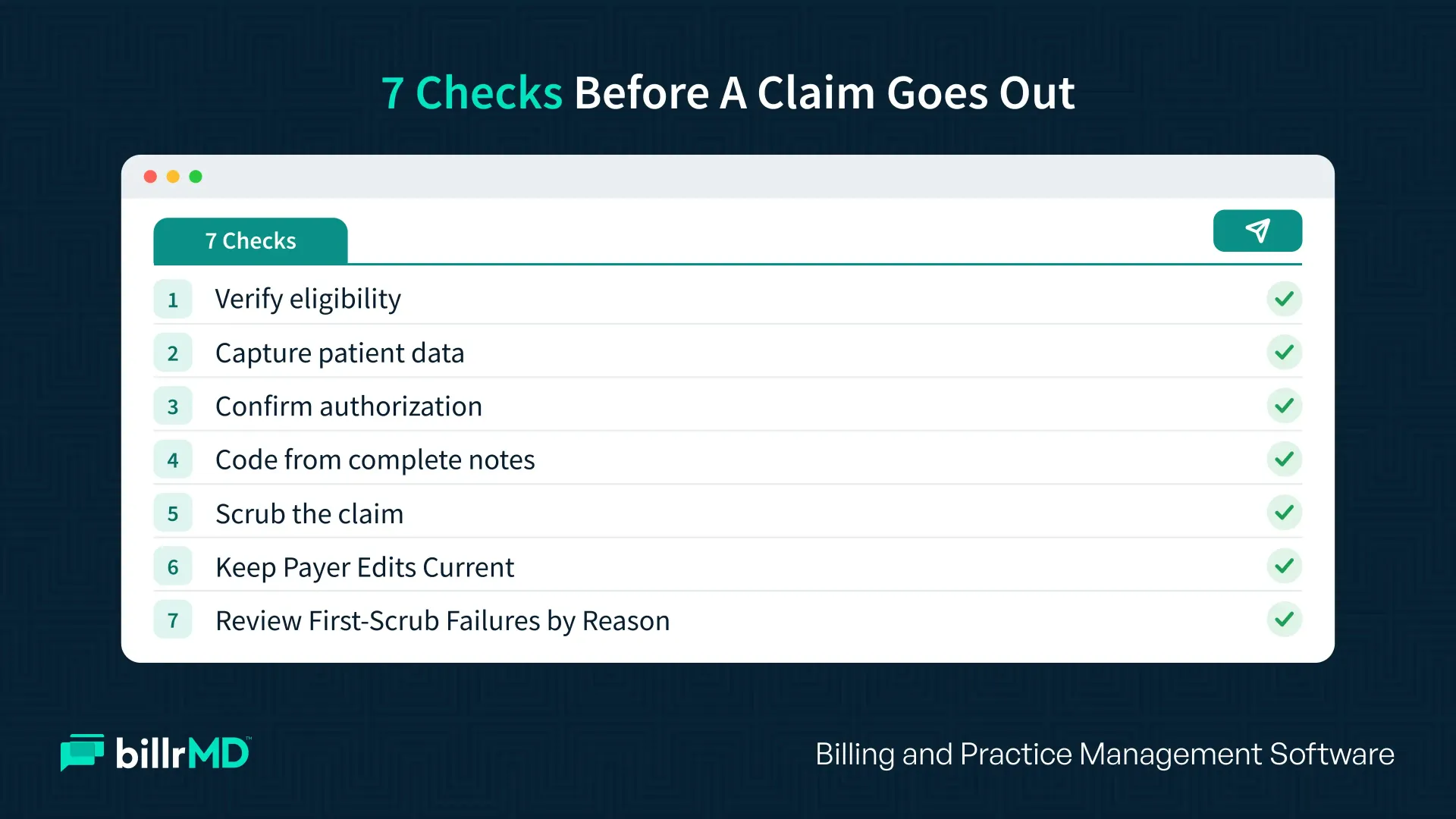
Use these seven checks to catch more claim errors before submission:
1. Verify eligibility before every visit
Check coverage at scheduling and again at check-in. Plans change between booking and arrival.
2. Capture patient data exactly
Scan the insurance card and photo ID. Match names and birth dates to what the payer holds.
3. Confirm prior authorization and referrals
Know which services need approval, and attach the authorization number to the claim.
4. Code from complete notes
Complete and sign documentation promptly under your practice's procedures and applicable payer requirements. When a note lacks information needed for coding, query the provider rather than guessing at a code or modifier.
5. Scrub every claim before it leaves
Payer-specific edits catch missing fields, invalid codes, and modifier conflicts while the fix is still cheap.
6. Keep Payer Rules and Code Edits Current
Review payer-specific billing requirements when policies or code sets change. Update your claim-scrubbing rules and staff checklists to prevent repeat errors.
7. Review First-Scrub Failures by Reason
Group claims that require manual intervention by error type and payer. Assign an owner to each recurring problem, then fix the upstream registration, authorization, coding, or billing step that caused it.
How Technology and Automation Improve Clean Claim Rates
Claim-scrubbing software can apply configured edits before submission, helping staff catch missing fields, invalid codes, and rule conflicts. Staff still need to review coverage, documentation, and other issues that automated edits may not resolve.
In March 2026, CMS finalized standards for electronically exchanging clinical documentation that supports healthcare claims and for electronic signatures. CMS projected that the rule could save the healthcare industry roughly $782 million annually by standardizing these transactions.
For clean claims, three automations matter most:
- Real-time eligibility checks to catch coverage problems early
- Claim scrubbing to flag errors before submission
- Clearinghouse acknowledgments to tell you quickly when a payer rejects a claim
For the mechanics, read how a
healthcare clearinghouse checks and routes claims.
How billrMD Helps You Raise Your Clean Claim Rate
billrMD is a web-based practice management and medical billing platform that has these checks built into the claim workflow.
- Claim scrubbing flags common errors before electronic submission.
- An integrated clearinghouse that connects you to an all-payer network.
- Real-time eligibility checks catch coverage problems before the visit.
- Authorization and referral tracking keeps approvals organized in one place.
- Automatic ERA posting applies payer payment and adjustment information to patient accounts, reducing manual entry.
- Reports and analytics include claim aging, payment reports, and a denials analysis tool that points to the services and codes behind problems.
Practices, billing companies, labs, and IDTFs can start with a free account. No credit card is required.
How to Monitor and Sustain a High Clean Claim Rate
Build a simple rhythm for clean claims rate optimization:
- Weekly: review rejections by reason and payer, and give each fix one owner.
- Monthly: recalculate your clean claim rate by payer, provider, and location.
- Quarterly: refresh your payer rules sheet and retrain staff on the top three error types.
Watch first-pass resolution alongside it. A claim can pass scrubbing and still be denied. billrMD’s reports and analytics let you pull these views each month without rebuilding a spreadsheet. For companion metrics, see our guide to
medical billing KPIs.
Conclusion
Start with the errors your claim-scrubbing tool flags most often, then correct the workflow causing them. Verify coverage, capture data accurately, code from complete notes, and scrub before you submit. Then measure weekly and fix patterns.
Find recurring errors, identify where they enter your workflow, and fix them before the next batch of claims goes out. We’re just a phone call away if you'd like more personalized insights.
Start Submitting Cleaner Claims
Frequently Asked Questions
How often should I check my clean claim rate?
Review rejections weekly and recalculate the rate monthly. Weekly checks catch problems while the claims are still fresh and fixable.
Is clean claim rate the same as first-pass resolution rate?
No. Clean claim rate measures claims that pass pre-submission edits, clearinghouse scrubs, and initial payer checks without requiring manual intervention or rejection before entering adjudication. First-pass resolution rate is the percentage of claims accepted and paid in full on the first submission, without rework, resubmission, medical-necessity appeals, or additional documentation.
Does a dirty claim always get denied?
No. You can correct a claim before submission if it fails initial edits, but a payer may still reject it later for various reasons.
Can a small practice reach a 95% clean claim rate?
Yes. Consistent habits matter more than size, like eligibility checks, clean registration data, and a weekly rejection review.
Recent Posts