Prior Authorization Software 101: What Every Healthcare Provider Should Know

Prior authorization is supposed to protect patients and control costs, but for most practices, it's become the single biggest drag on the revenue cycle. According to a survey, physicians complete an average of 40 prior authorizations every week, and 94% say the process contributes to burnout. If your team is still juggling payer portals, fax machines, and spreadsheets to track requests, you're spending valuable staff time on administrative work. This leads to increasing the risk of delays and avoidable denials.
This guide covers what prior
authorization software does, which features are worth paying for, and how to choose a system that fits your practice.
Billing Efficiency In Action
What Is Prior Authorization?
Prior authorization is the approval process payers require before covering certain medications, procedures, or services. A provider submits clinical documentation showing the requested care is medically necessary, and the payer reviews it before agreeing to reimburse. Without that approval, the practice risks a denied claim, even when the care itself was entirely appropriate.
Prior authorization software can help automate parts of this process. Depending on the system and payer connectivity, staff may be able to submit requests, track their status, and identify missing documentation from a centralized workflow. For practices juggling dozens of payers with different rules, that difference adds up fast.
Why Is Prior Authorization a Challenge for Healthcare Providers?
Prior authorization challenges in healthcare show up in nearly every part of the revenue cycle. According to a report, 92% of surveyed medical group practices reported hiring or reassigning staff solely to handle prior authorization volume. 60% indicated that at least three employees are typically involved in completing a single request.
The financial risk is just as steep. A recent analysis found that insurers denied 12% of standard prior authorization requests in Medicare Advantage, 14% in Medicaid managed care, and 18% in ACA Marketplace plans. A denial may require resubmission, additional documentation, an appeal, or other follow-up, and every delay pushes treatment further out for the patient waiting.
These prior authorization challenges compound when practices rely on payer portals and manual tracking. Requirements change by payer and by service, staff burns hours chasing status updates, and small documentation errors trigger delays that have nothing to do with medical necessity.
Key Features to Look for in Prior Authorization Software
Not every prior authorization software system offers the same depth of automation. When evaluating medical prior authorization software, prioritize:
- Real-time status tracking - see which requests are pending, approved, or denied without calling the payer
- Payer-specific rules engine - automatically flags which services need authorization for which plan
- EHR and practice management integration - pulls clinical documentation into the request instead of re-entering it
- Automated alerts - notifies staff before authorizations expire or before a visit is scheduled without one on file
- Reporting and analytics - surfaces denial patterns by payer or service so teams can adjust early
- Documentation checks - flags incomplete submissions before they go out
A system with these features does more than digitize paperwork. It gives billing teams the visibility to catch problems before they turn into denials.
Benefits of Using Prior Authorization Software
Prior authorization benefits multiply quickly once you automate manual work. Staff spend less time on hold with payers and more time on patient-facing work. Documentation checks can help staff identify incomplete submissions before sending them, potentially reducing avoidable resubmissions. Practices also gain visibility into which payers or services cause the most denials. This helps them identify recurring issues and focus follow-up efforts where they can have the greatest impact.
There's a compliance upside too. CMS now requires certain impacted payers to publicly report prior authorization metrics for covered items and services. Organized authorization records can also help practices review payer decisions and identify recurring issues. For patients, faster turnaround simply means fewer delays between diagnosis and treatment. Want to dig deeper into denial trends specifically? billrMD's guide to
healthcare denial management covers that in detail.
How to Choose the Right Prior Authorization Software
The best prior authorization software for your practice depends on your patient volume, payer mix, and existing systems. Start by mapping how many authorizations your team handles weekly and which payers cause the most friction.
Look for software that integrates with your current practice management or billing platform rather than operating as a separate tool your staff has to toggle between. Ask prior authorization software vendors how often their payer rules update, since requirements shift frequently. Request a demo using your actual workflow, not a generic walkthrough, so you can see how the system handles your specific service lines.
Finally, weigh implementation and support. A powerful system your staff can't learn quickly won't solve your problem.
Common Types of Prior Authorization Solutions
Prior authorization requirements can apply to services and products such as medical procedures, diagnostic imaging, durable medical equipment, and prescription medications. Each comes with its own payer rules and turnaround times.
On the software side, providers typically choose from a few solution types:
- Payer portals - typically payer-specific, often requiring staff to use different portals for different plans.
- Clearinghouse-based electronic prior authorization (ePA) - can help standardize electronic prior authorization workflows across participating payers.
- Integrated authorization modules - built into practice management or billing platforms, so authorization data lives alongside claims and scheduling.
- Standalone automation platforms - designed specifically around authorization workflows and available across a range of practice and organization sizes.
For practices that want authorization data alongside scheduling and billing workflows, an
integrated module can offer greater visibility with fewer systems to manage.
Why Choose billrMD for Prior Authorization Management
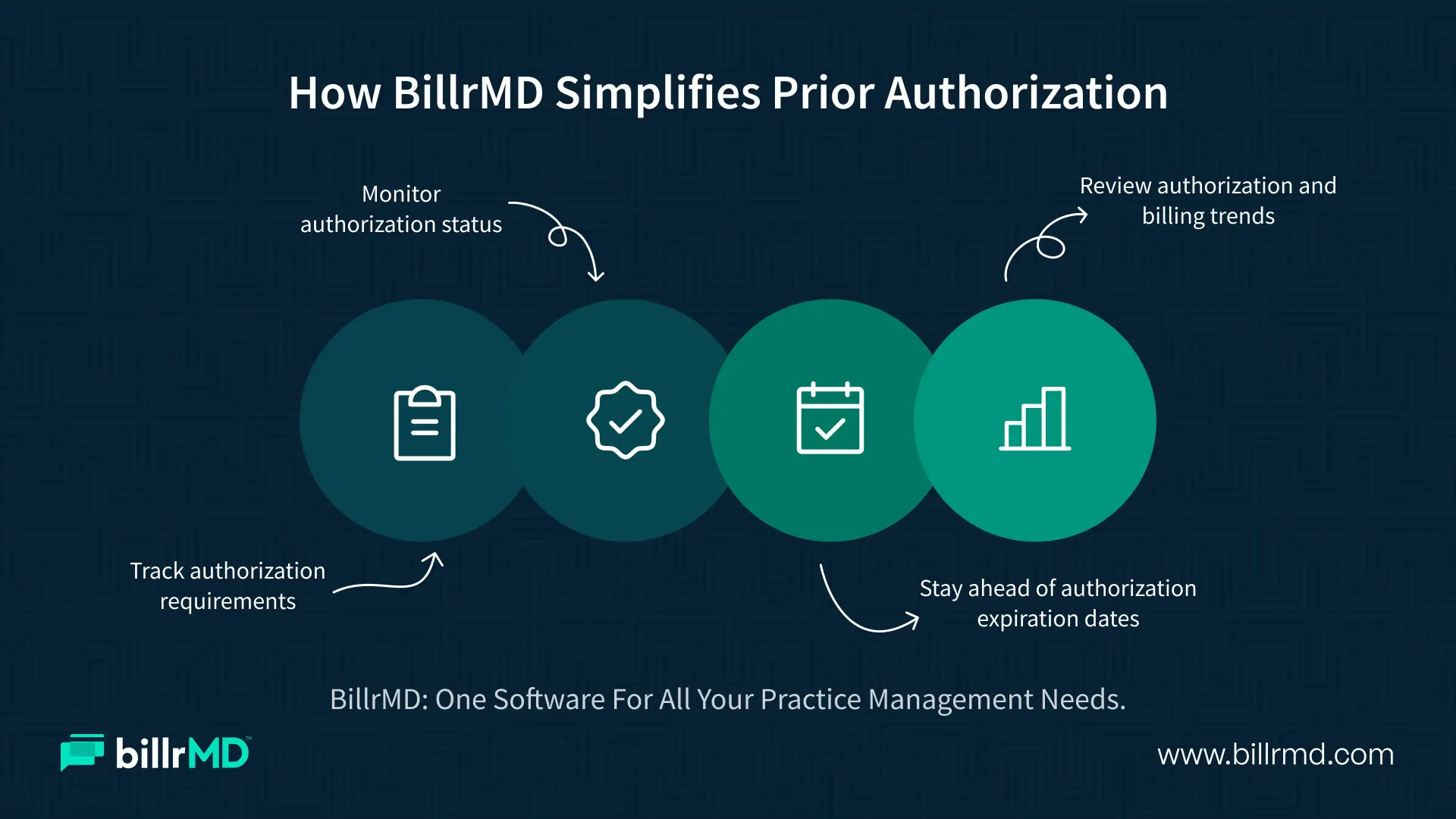
billrMD builds authorization tracking directly into its medical billing software, so your team doesn't have to juggle a separate system. The platform gives you a centralized view of every authorization and referral, with real-time status on what's pending, approved, or denied.
billrMD flags services that require authorization by payer and service type before claims go out, and it sends automated alerts when authorizations are set to expire or when a visit is scheduled without one on file. Combined with billrMD's reports and analytics, your team can spot denial patterns early and track appeal outcomes over time.
Whether you run an independent practice, a billing company, or a multi-location group, billrMD's
solution for medical practices brings authorization tracking, billing, and scheduling into a unified practice management environment.
Conclusion
Prior authorization isn't going away, but the administrative burden it creates doesn't have to fall entirely on your staff. The right prior authorization software turns a manual, error-prone process into a tracked, visible one, protecting both your revenue and your patients' access to care. If your current workflow still depends on spreadsheets and phone calls, it's worth seeing what a purpose-built system like billrMD can do differently.
Free to Start, No Credit Card
Frequently Asked Questions
What is prior authorization in medical billing?
Prior authorization is the approval a payer requires before agreeing to cover certain services, procedures, or medications. Providers submit documentation showing medical necessity, and the payer reviews it before authorizing payment.
How does prior authorization software help reduce denials?
It flags which services need authorization, checks for missing documentation before submission, and tracks payer-specific requirements, cutting down on the errors that lead to denials.
What should I look for in medical prior authorization software?
Look for real-time tracking, integration with your practice management system, automated alerts, and reporting that shows denial trends by payer.
Does billrMD handle prior authorization for multiple payers?
Yes. billrMD tracks authorization status across payers on a single dashboard, with built-in rules by payer and service type.
Recent Posts