What is Practice Management Software? The Complete Guide
Running a successful clinic takes immense dedication. Providing top-tier patient care remains your top priority. However, behind every great patient encounter lies a mountain of administrative work. Dealing with scheduling conflicts, tracking down unpaid invoices, and handling patient communications can easily drain your staff's energy.
If your front desk feels chaotic and your revenue cycle is moving slowly, it might be time to evaluate your technological foundation. You might be asking yourself exactly ‘what is practice management software’ and ‘whether it can genuinely solve these daily bottlenecks’.
At its core, this technology acts as the digital nervous system for your administrative tasks. Finding the
right practice management tools can mean the difference between a clinic that barely keeps up and one that runs like a well-oiled machine. This comprehensive guide covers everything you need to know about the tools shaping modern healthcare administration. We will explore the core functionalities, expected costs, and practical tips to help you make an informed decision for your practice.
Streamline Your Clinic Workflow
What is a Practice Management System?
To put it simply, a practice management software system is a digital platform designed to handle the day-to-day operational and financial functions of a medical facility. While clinical staff rely on Electronic Health Records (EHR) to track medical histories, administrative staff use a practice management system to manage the business side of the clinic.
If you are wondering, ‘what is a practice management system’ in practical terms, think of it as your all-in-one hub. It captures
patient demographics, schedules appointments, maintains lists of insurance payers, performs
billing tasks, and generates financial reports. By centralizing these non-clinical duties, practice management software prevents vital information from slipping through the cracks. Your team no longer needs to jump between five different programs just to check a patient in and bill their insurance.
Benefits of Practice Management Software
Upgrading your technology stack brings immediate, tangible improvements to your daily operations. The benefits of practice management software go far beyond simply digitizing paper records.
Improved Efficiency
Automating routine tasks allows your staff to focus on patient interaction rather than manual data entry.
Reduced No-Shows
Automated appointment reminders keep patients informed, directly
reducing missed appointments and lost revenue.
Faster Reimbursements
Integrated billing tools catch
coding errors early, which means
cleaner claims and quicker payments.
Enhanced Patient Experience
A smooth check-in process and transparent billing lead to higher patient satisfaction scores.
Better Compliance
High-quality platforms ensure your data handling complies with modern
HIPAA regulations and industry standards.
Features of Practice Management Software
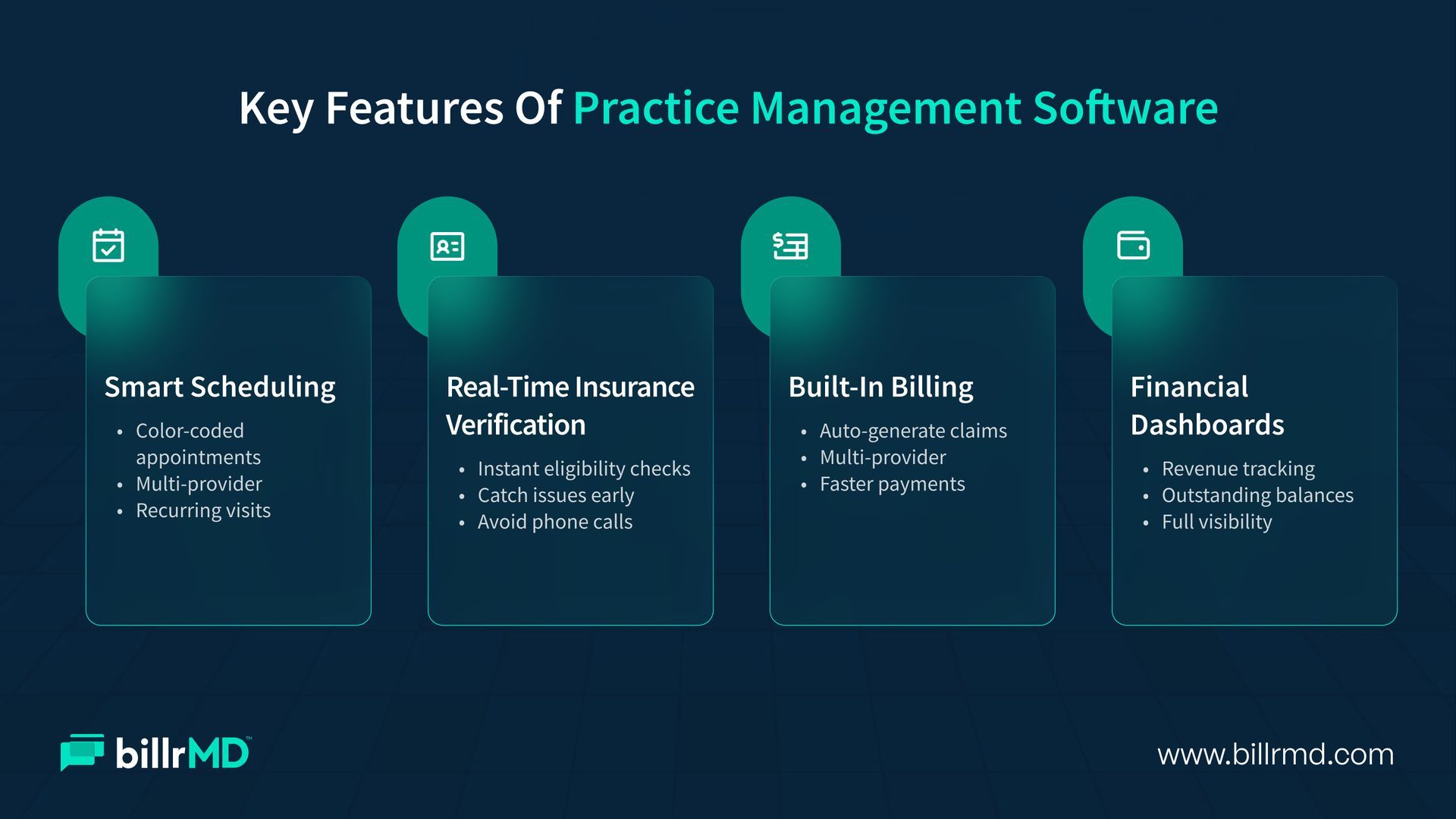
When evaluating different vendors, you will notice a wide variety of tools. However, certain practice management software features are essential for maintaining a healthy bottom line.
- Robust patient scheduling capabilities, like easy color-coding of appointments, management of multiple providers, and setup for recurring visits
- Real-time insurance eligibility verification
- Catching coverage issues before patient arrival to save hours of frustrating phone calls later.
- Built-in billing and invoicing modules to convert appointments into payable claims.
- Comprehensive
financial reporting dashboards for visibility to track revenue trends and identify outstanding balances
What is the Cost of Practice Management Software?
Budgeting for new technology is a major consideration for any clinic owner. The cost of practice management software varies significantly based on the size of your facility, the number of providers, and the specific features you require.
Cloud-based solutions typically operate on a subscription model. You might pay a monthly fee per provider or per user. This model is popular because it requires lower upfront costs and eliminates the need for expensive on-site servers.
Monthly subscriptions can range anywhere from a few hundred dollars to over a thousand, depending on the tier. On the other hand, traditional on-premise solutions require a large upfront purchase of licenses and hardware, plus ongoing maintenance fees.
When reviewing your options, we recommend checking out transparent pricing models to ensure you understand exactly what is included in your monthly rate.
Common Challenges with Practice Management Software
Even the best practice management software comes with a learning curve. Adopting a new platform requires time, and many clinics face hurdles during the initial rollout.
One of the most frequent challenges is staff resistance to change. Employees who are used to legacy systems may feel overwhelmed by a new interface. This makes intuitive design and thorough training programs incredibly important. Data migration is another common hurdle. Moving years of patient demographics and financial history from an old medical practice management system into a new one requires careful planning to avoid duplicate files or lost data. Finally, ensuring your new system connects cleanly with existing clinical tools is vital to prevent frustrating data silos.
Practice Management Software Across Different Industries
Not every medical field operates the same way. A thriving physical therapy office has vastly different workflow requirements than a busy pediatric clinic. Because of this, healthcare practice management software is often tailored to meet the needs of specific specialties.
For example, behavioral health clinics might need highly specific recurring appointment structures and specialized privacy settings. Meanwhile, an urgent care facility needs a system heavily optimized for rapid walk-ins and immediate copay collections. Regardless of your specialty, finding a flexible practice management system in healthcare ensures your software adapts to your workflow rather than forcing your staff to adapt to it.
How to Choose the Right Practice Management Software
Selecting the perfect technological partner is a significant decision. If you are researching how to choose practice management software for small clinic operations, your first step should be evaluating your core bottlenecks.
Do you struggle most with scheduling conflicts, or is your primary issue tied to claim denials? Identifying your weak points helps you pinpoint the top practice management software for your unique situation. Always request a live demonstration. Ask the vendor to show you exactly how their platform handles your most common daily tasks. You should also prioritize vendors who offer excellent customer support. In the fast-paced medical field, you cannot afford to wait days for an email reply when your scheduling portal goes down.
Why Choose billrMD?
Our modern medical practice management software is designed to eliminate administrative friction so you can focus entirely on your patients.
We offer one of the most intuitive and comprehensive practice management software systems on the market today. From automated appointment reminders that slash your no-show rates to integrated billing tools that accelerate your cash flow, we provide the infrastructure necessary for growth.
Because our platform is completely cloud-based, your staff can securely access the system from anywhere, without worrying about tedious server maintenance or manual updates. We give you the clarity and control you need to run a profitable clinic.
Conclusion
A clinic's success depends heavily on the strength of its administrative foundation. It establishes a structured, error-free workflow that protects your revenue and keeps your patients happy.
Understanding the specific features that drive results and recognizing the challenges of implementation puts you in a powerful position. The right system does three things: cuts down your admin time, reduces claim denials, and pays for itself. You now know what to look for.
Frequently Asked Questions
Is a practice management system the same as an EHR?
No. An Electronic Health Record (EHR) holds clinical information like medical history, diagnoses, and treatment plans. A practice management system handles the administrative and financial side, such as scheduling and billing. Many clinics use integrated platforms that combine both.
Which platform is the best practice management system for my clinic?
The ideal choice depends entirely on your clinic's size, specialty, and budget. Cloud-based platforms with strong customer support and intuitive interfaces are generally the top choice for growing, modern practices.
Does practice management software help with patient collections?
Absolutely. These systems allow you to clearly track patient balances, send automated electronic statements, and offer digital payment portals. Making it easy for patients to pay directly improves your overall collection rates.
How long does it take to implement new software?
Implementation timelines vary based on the complexity of your clinic and the amount of data being migrated. Cloud-based platforms usually offer faster deployment, often getting a clinic up and running within a few weeks with proper staff training.
Recent Posts