The Case for Cloud-Based Practice Management Software in Modern Clinics
Running a clinic today means juggling patient scheduling, insurance verification, billing, and compliance, often with a front desk team that's already stretched thin. If your practice is still relying on an on-site server or a patchwork of disconnected tools, you've probably felt the friction: slow updates, limited remote access, and IT headaches that eat into time you'd rather spend on patients.
That's why a growing number of practices are switching to cloud-based practice management software. It's not just a trend. It's a practical response to how healthcare operates now, with distributed teams, telehealth visits, and patients who expect faster, more transparent service.
This guide breaks down what cloud-based practice management software actually is, why clinics are adopting it, and what it means for your day-to-day operations.
Try billrMD for Free
What Is Cloud-Based Practice Management Software
Cloud-based practice management software stores your clinic's scheduling, billing, and administrative data on remote servers instead of a physical, on-site machine. You and your staff access everything through a secure internet connection, whether you're at the front desk, working from home, or checking on claims between locations.
This is different from traditional, on-premise systems, which require your practice to buy, house, and maintain physical servers. With cloud-based medical practice management software, your vendor handles the infrastructure. Updates roll out automatically, data backs up continuously, and your team logs in from any device with a browser.
For clinics, this shift matters because it removes a layer of technical burden unrelated to patient care. You're not managing hardware. You're running your practice.
Why Growing Clinics Are Switching to Cloud-Based Practice Management Software
A few forces are driving this shift, and they're not slowing down. The U.S. practice management system market was valued at nearly $6.65 billion in 2025 and is projected to more than double by 2035, growing at a 9.43% CAGR. Cloud-based solutions are expected to grow faster than any other delivery model because they enable providers to access patient data and practice tools from anywhere, supporting remote work and telehealth. Grand View Research
Growing clinics, in particular, have specific reasons to move:
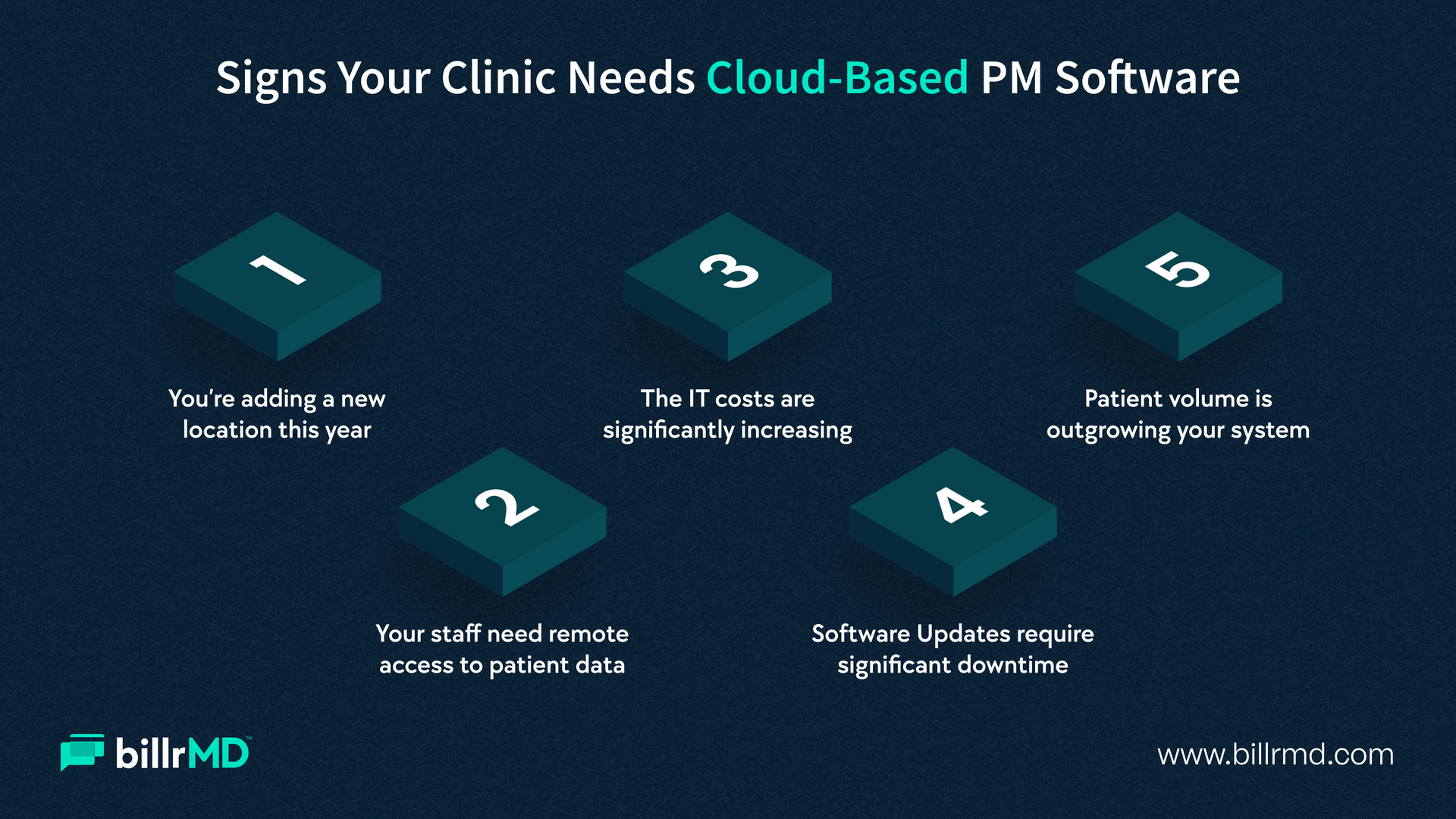
1. They're adding locations or providers
A cloud-based practice management system scales without requiring a new server setup at every site. Everyone works off the same platform, in real time.
2. They're supporting remote and hybrid staff
Billers, schedulers, and even providers increasingly need to check in on operations outside the four walls of the clinic. Cloud access makes that possible without compromising security.
3. They're under pressure to cut administrative overhead
Physical servers come with maintenance contracts, IT visits, and hardware replacement cycles. Moving those costs to a subscription-based cloud model frees up the budget for staff and patient care instead.
4. They want to stay current without lifting a finger
Software updates, security patches, and compliance changes happen automatically in the background, rather than requiring a scheduled IT visit.
Patients are changing too. They expect online scheduling, digital intake, and fast responses to billing questions, and a modern cloud-based practice management solution is what makes that experience possible.
Key Benefits of Cloud-Based Practice Management Software for Clinics
The benefits of cloud-based practice management software for healthcare providers go beyond convenience. Here's what clinics gain in practice.
Remote, secure access
Your team can check schedules, verify eligibility, or review claims from any internet-connected device. This matters for multi-provider practices, satellite locations, and staff who occasionally work outside the office.
Lower upfront costs
There's no server to purchase or house. Most cloud platforms operate on a subscription model, which means predictable monthly costs rather than a large upfront capital expense.
Stronger data security
Reputable cloud vendors invest in encryption, two-factor authentication, and redundant backups that typically exceed what a single clinic could maintain on a local server.
Market research indicates that the cloud-based segment led the practice management software market with a 56.02% share in 2025, largely because of its scalability, low upfront costs, and reduced IT maintenance burden.
Automatic updates and compliance readiness
When regulations or billing codes change, your platform updates without you having to schedule downtime or call an IT vendor.
Built-in scalability
Adding a provider, a location, or a new service line doesn't mean renegotiating server capacity. The system grows with you.
Better disaster recovery
If a laptop breaks or a local device fails, your data isn't lost. It lives securely on the cloud, backed up and recoverable.
These advantages of cloud-based practice management systems are exactly why the shift away from on-premises setups continues to accelerate across the industry, not just among large health systems but among small and mid-sized clinics as well.
How Cloud-Based Practice Management Software Improves Clinic Efficiency
Beyond the high-level benefits, cloud-based systems change how your clinic actually runs day to day.
Faster front-desk workflows
Scheduling, check-in, and eligibility verification occur in a single connected system rather than across separate tools. This reduces repetitive data entry and errors that lead to claim denials.
Real-time visibility into claims and payments
Staff can see claim status, payer responses, and outstanding balances without logging into multiple portals, which speeds up denial resolution and keeps cash flow moving.
Streamlined communication across teams
Billing companies, front-desk staff, and providers work from the same real-time data, so nothing gets lost between systems or locations.
Fewer bottlenecks during growth
As patient volume increases, a cloud-based practice management solution scales with that growth without slowing performance the way an aging on-site server might.
According to
market research, cloud and SaaS-based practice management models deliver lower initial costs, automatic updates, stronger data security than many practices could achieve on their own, and accessibility from any internet-connected device, all of which directly translate into smoother daily operations.
Cloud-Based PM Software vs Traditional Management Software
Deciding between the two comes down to a few core differences.
Infrastructure
Traditional on-premises systems require your clinic to purchase, house, and maintain physical servers. Cloud-based systems shift that responsibility to your software vendor, who manages the infrastructure remotely.
Accessibility
On-premises software typically works only within your office walls or through a complicated remote setup. A cloud-based practice management system is accessible from anywhere with an internet connection.
Cost structure
On-premises solutions require a large upfront investment in hardware and licenses. Cloud-based platforms typically run on a predictable subscription model with lower entry costs.
Maintenance
With on-premises systems, your staff or an external IT provider handles updates, patches, and server maintenance. Cloud platforms push updates automatically, with minimal to no downtime.
Scalability
Expanding an on-premises system often means purchasing additional hardware. Cloud-based systems scale by adjusting your subscription, not your equipment.
Neither model is inherently worse for every practice, but for clinics prioritizing flexibility, lower overhead, and easier scaling, cloud-based practice management software is generally the stronger long-term fit. If you're still weighing the two, our full breakdown of on-premise vs. cloud-based practice management software walks through the decision in more detail.
Why billrMD
billrMD is a 100% web-based practice management and medical billing platform built specifically for clinics that want to move faster without sacrificing security or control. With over 25 years in healthcare technology, billrMD gives your team intelligent scheduling, real-time insurance eligibility checks, automated ERA posting, clean claims submission, and customizable patient invoicing, all accessible from any internet-connected device.
There's no server to install or maintain. billrMD handles system updates and security patches automatically, so your practice always runs on the latest version without interrupting your workflow. The platform is HIPAA-compliant, backed by military-grade encryption, two-factor authentication, and nightly automated backups, giving you enterprise-level protection without the enterprise-level IT team.
Whether you're a solo provider or managing multiple locations, billrMD's cloud-based practice management solution is built to scale with you, not hold you back.
Ready to See the Difference?
Frequently Asked Questions
What is cloud-based practice management software?
It's a system that stores your clinic's scheduling, billing, and administrative data on remote servers rather than on a physical on-site machine, allowing your team to access everything securely over the internet.
Is cloud-based practice management software secure?
Reputable cloud platforms use encryption, two-factor authentication, and automated backups that generally exceed what a single clinic can maintain on a local server. Look for a HIPAA-compliant vendor with a documented security track record.
How much does cloud-based practice management software cost?
Most cloud platforms use a subscription model, often billed per provider or per user, which is typically lower upfront than the hardware and licensing costs of an on-premises system.
Can small clinics benefit from cloud-based practice management software?
Yes. Smaller practices often see the fastest impact because they have fewer internal resources to absorb the cost and complexity of maintaining on-site servers.
Recent Posts