Insurance Eligibility Verification in Medical Billing: A Front Desk Guide to Fewer Denials
If your team checks insurance only when the patient arrives, you are finding problems too late. A denied claim costs more than the payment. It costs staff time, patient trust, and weeks of follow-up. Many of these denials can be stopped by one simple habit: checking coverage early.
Insurance eligibility verification works best before the visit. Below is a plain guide to what to verify, when to verify it, and where automation helps.
See Live Eligibility Verification in Action
Why Does Insurance Eligibility Verification Matter?
What is eligibility verification? It is the process of checking whether a patient's insurance coverage is active and reviewing the benefits and cost-sharing information available for a planned service. In medical billing, eligibility verification is the first step of the revenue cycle. Every later step relies on its outcome.
Incorrect eligibility information can carry into claim submission, causing avoidable rejections, delayed payments, and extra work for billing staff. Patients also get billed late, which affects trust.
The stakes are rising. Covered plans must give a specific reason for each denial. They must also decide standard prior authorization requests within seven calendar days and urgent ones within 72 hours. These exclude drug prior authorizations and Qualified Health Plans on federally facilitated exchange.
Those timelines only help when your team knows early which visits need approval.
What to Verify Before Every Visit
A thorough pre-visit insurance review goes beyond checking whether an insurance is active. Your team should verify the following details, using the eligibility response and additional payer resources where necessary:
- Active coverage: effective and termination dates, checked against the date of service
- Network status: whether your practice is in network for this plan
- Copay, coinsurance, and deductible: review the amounts and remaining balances reported by the payer
- Referrals: whether the plan requires one for this visit type
- Prior authorization: whether the planned service needs approval first
- Secondary coverage: whether another plan pays first
- Subscriber details: name, birth date, and member ID as the plan holds them
Check the service you are booking, not only the plan. Limits and exclusions can change by visit type. Ask patients whether their insurance, employer, or dependent coverage has changed, and request an updated insurance card when necessary.
In a poll, about
four in five respondents reported at least one open administrative position. For practices operating with fewer administrative staff, maintaining consistent eligibility checks can become more difficult. Our
guide to prior authorization software explains how to track approvals.
When to Verify: Three Checkpoints
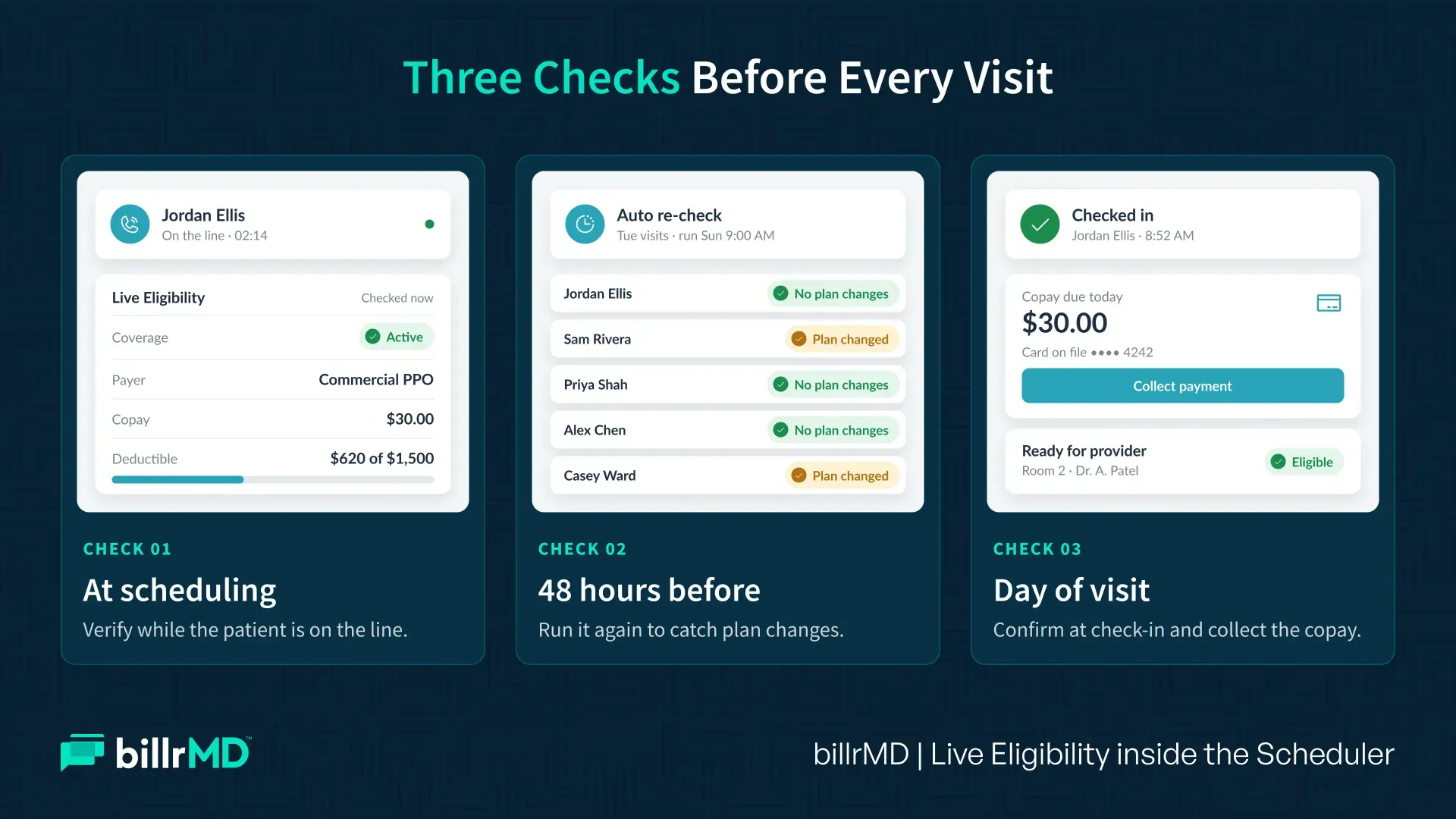
Coverage can change between booking and the visit. A sound insurance verification process uses three checkpoints.
- At scheduling: Check coverage while you book. The patient is still reachable, so errors are easy to fix
- 48 hours before: Run the check again. Plans end, and patients change jobs. This window leaves time to call the patient or reschedule
- Day of visit: Confirm at check-in, collect the copay, and record the result
Add two more triggers. Recheck coverage at the beginning of a new plan year, when many insurance changes take effect, and whenever a patient provides an updated insurance card.
Common Mistakes That Lead to Denials
Common coverage-related problems that can lead to claim denials or rejections include:
- Checking once at booking an appointment and never again
- Verifying the plan but not the service
- Typing card details by hand. A transposed digit can cause an eligibility inquiry to fail even when the patient's coverage is active
- Missing secondary coverage, which sends claims to the wrong payer first
- Learning about a referral or authorization rule only after the claim is rejected
- Skipping the record. Without a dated note, you cannot show what you checked or when
Compare these with the wider list in our post on
common medical billing denial reasons.
What to Do When a Coverage Check Fails
A failed coverage check is useful news if you get it before the visit. Respond in this order:
- Inactive coverage: Call the patient and ask for a current card. Run the check again. If coverage stays unconfirmed, follow your practice policy on rescheduling or self-pay
- Data mismatch: Compare name, birth date, and member ID with the card. Correct the record and send the inquiry again
- Missing referral or authorization: Start the request at once. Tell the patient the expected timeline
- Unclear response: Call the payer. Note the representative’s name, the date, and the call reference
Whatever the result, save it to the patient record.
Manual vs. Automated Verification
Manual checks mean payer portals, phone calls, and faxes. They work, but they depend on staff time.
Automated insurance eligibility verification submits electronic inquiries to participating payers and can return coverage and benefit information directly to the practice management system or patient record.
- Manual: Staff access payer portals, make calls, or submit inquiries, then document the returned information
- Automated: The system submits electronic eligibility inquiries and can retrieve and store payer responses within the practice workflow, reducing repeated data entry
Practices are shifting this way. In an October 2026 poll,
63% of 214 respondents said their organizations were moving toward more revenue cycle automation in 2026.
Good eligibility verification software should run on schedule, show full benefit details, and store each result. Before choosing a system, ask vendors to demonstrate how eligibility inquiries are submitted, what information is returned, and how results are stored.
How Front Desk Automation Improves Billing KPIs
Front desk automation matters because most billing KPIs start at registration. Cleaner data at the desk moves several numbers:
- Clean claim rate: Fewer eligibility-related errors carry into claim submission
- Denial rate: Fewer coverage-related denials, although other causes such as coding and authorization requirements still need attention
- Point-of-service collections: Staff can discuss reported copays and deductibles with patients before the visit
Track eligibility-related rejections monthly and break them down by payer and reason. Recurring patterns can help your team identify where registration, insurance data entry, or verification procedures need attention.
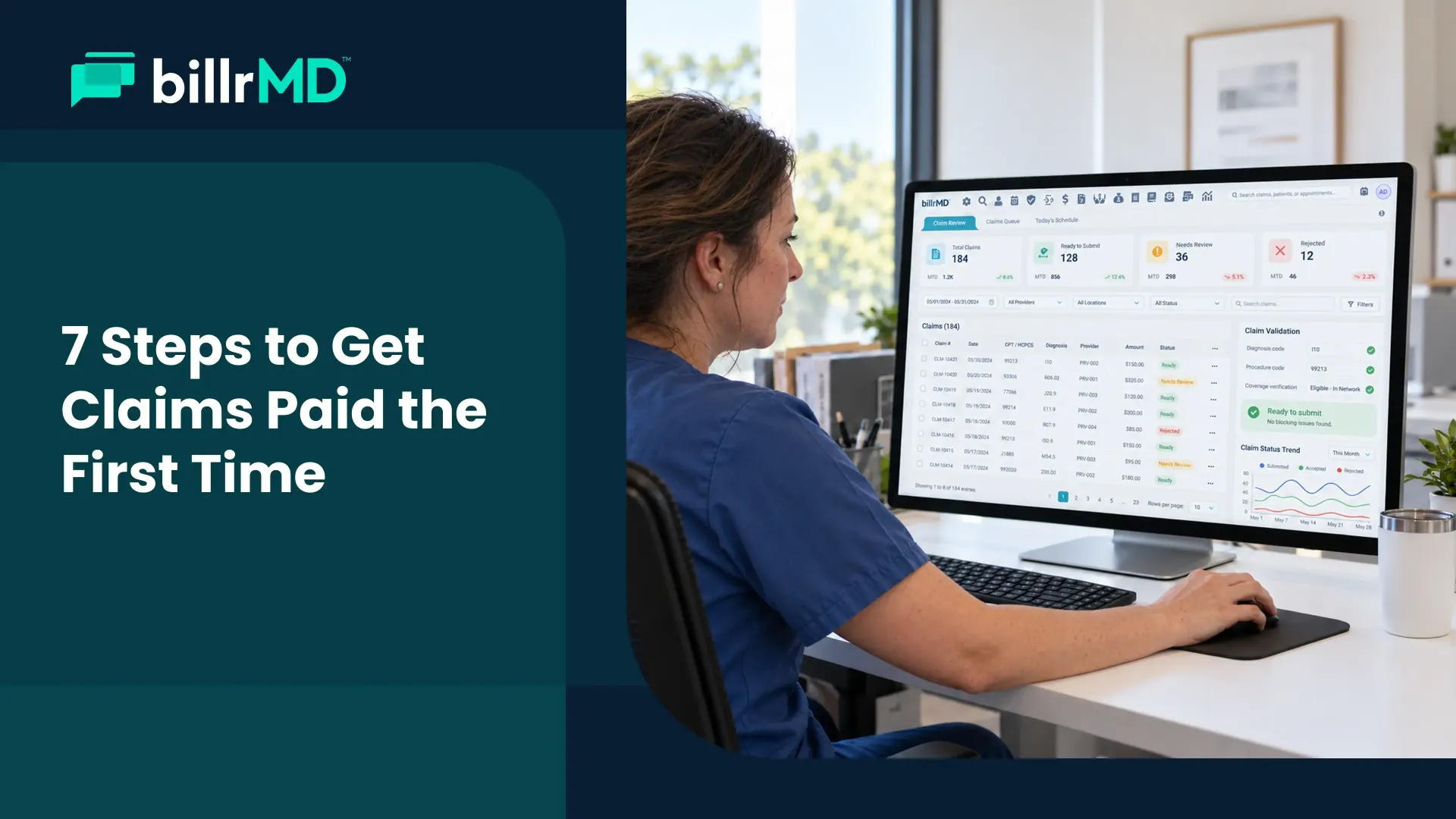
How billrMD Helps Front Desk Teams Verify Coverage
billrMD is a web-based medical billing and practice management platform that integrates scheduling and billing. Its
Scheduler includes Live Eligibility, so staff can verify a patient’s insurance when booking the appointment. Results come back in real time from clearinghouses. The eligibility history is stored, so staff can review past requests, including primary and secondary insurance.
Staff can also send
appointment reminders by text or email from the same scheduling window.
After the visit, real-time claim scrubbing flags errors before submission. The
integrated clearinghouse sends claims electronically. Authorization and referral tracking keeps approvals organized. Reports show denial trends by payer and reason, so you can see where checks slip.
Conclusion
Insurance eligibility verification is an important front-end step that can help practices avoid preventable coverage-related denials. Check at booking, again 48 hours out, and at check-in. Record every result. Then automate the repeatable steps, so your team can focus on patients.
Practices should confirm which of their major payers and software vendors will support the new electronic workflows. In case you have questions or need more insights, we’re just a phone call away.
billrMD Catches Coverage Gaps Before Visit
Frequently Asked Questions
What is the difference between eligibility verification and prior authorization?
Eligibility verification confirms active coverage and benefits. Prior authorization is the plan’s approval for a specific service. Many patient visits need both.
How often should we verify eligibility?
Check at scheduling, about 48 hours before the visit, and at check-in. Recheck after any plan change or new card.
Can eligibility checks run in real time?
Yes. Real-time eligibility verification returns plan responses while staff book or check in patients.
Does billrMD include eligibility verification software?
Yes. billrMD includes Live Eligibility in its Scheduler, plus an eligibility history for reviewing past requests.
Recent Posts