Medical Billing Software: The Ultimate Handbook for Healthcare Practices
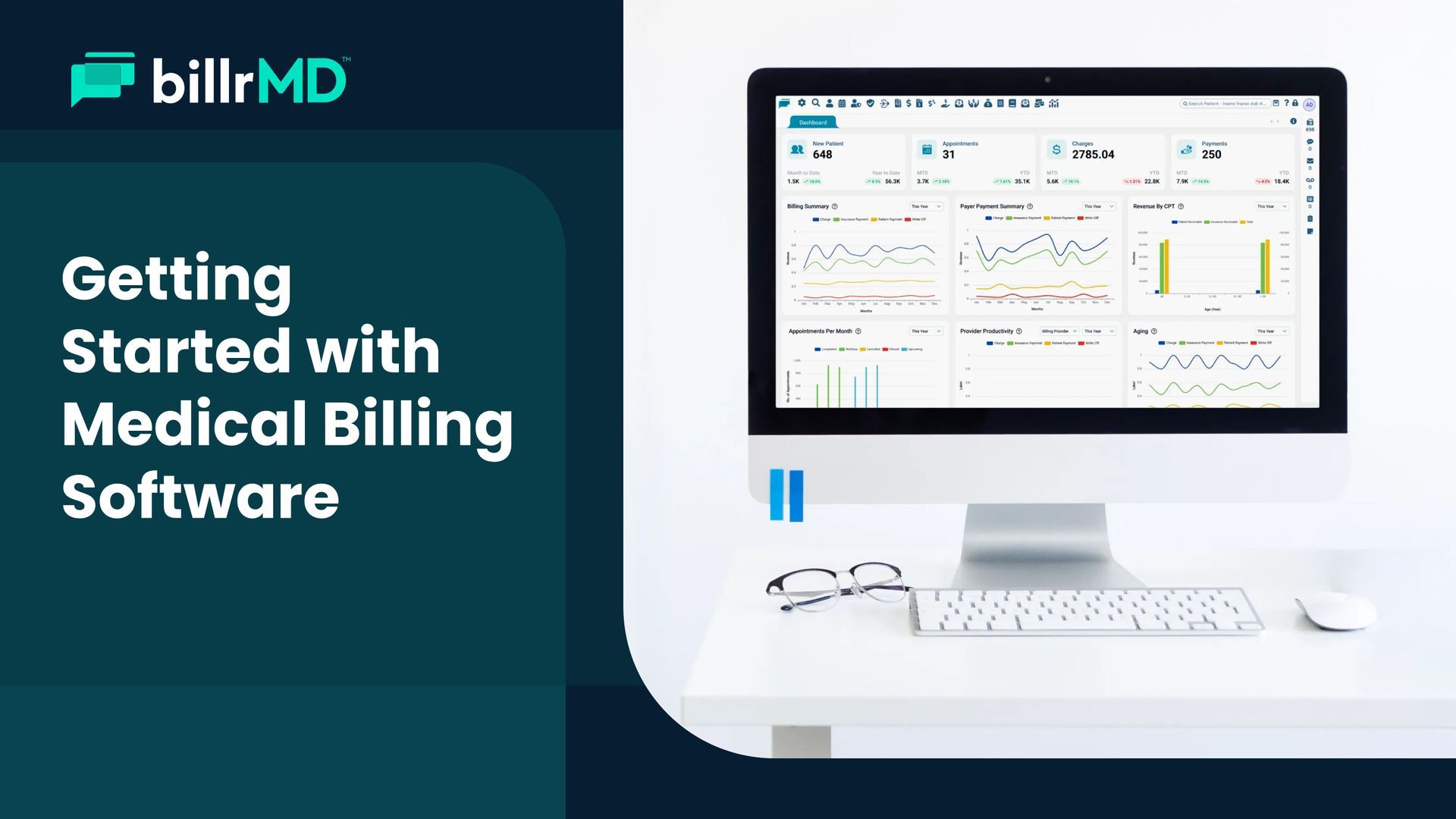
Managing a healthcare practice involves much more than just treating patients. Behind every successful consultation is a complex web of administrative tasks, specifically the process of getting paid.
A single missed eligibility check, an incorrect modifier, or a diagnosis code that doesn't align with the procedure can push a claim straight into the denial pile. Multiply that across hundreds of patients, dozens of payers, and monthly coding updates, and it's easy to see why billing is one of the most operationally demanding parts of practice management.
That's exactly what medical billing software is built to handle. But with a crowded market and a wide range of platforms claiming to do it all, knowing what genuinely matters, and what doesn't, requires some groundwork.
This guide covers everything you need to know: what medical billing software actually does, which features make a real difference, what challenges to expect, and how to evaluate your options with confidence.
Medical Billing Made Easy
What is Medical Billing Software?
At its simplest, medical billing software is a specialized tool that automates healthcare billing. It bridges the gap between the clinical and financial sides of medicine. The software helps healthcare providers submit claims to payers, track those claims, and manage payments.
In practical terms, it automates the steps that used to require a lot of manual work: creating claims, checking for errors, submitting to payers, posting payments, and following up on denials. When a system is built well, it handles the repetitive, rules-heavy parts of billing so your team can focus on exceptions, communication, and higher-value tasks.
Modern platforms go considerably further than basic claim submission. The best ones verify patient eligibility before appointments, flag billing errors before claims go out, integrate directly with EHR systems, and provide billing managers with real-time financial reporting to catch revenue issues before they become patterns. It's infrastructure for the revenue cycle, not just a shortcut for paperwork.
Key Medical Billing Software Features
When you are looking at different platforms, it is easy to get overwhelmed by technical jargon. However, certain medical billing software features are non-negotiable for a healthy bottom line.
- Claims Scrubbing:
This feature automatically checks your claims for errors or missing information before they are submitted. It ensures your codes align with the latest industry standards, significantly increasing your first-pass clean claim rate. - Real-Time Eligibility Verification:
Nothing slows down a practice like finding out a patient’s insurance is inactive after the service is rendered. Modern software lets you verify coverage instantly. - Electronic Remittance Advice (ERA):
Instead of manually entering payment data from paper statements, ERA allows the software to receive and post payments automatically from insurance carriers. - Reporting and Analytics:
To grow, you need to know where your money is. Robust reporting tools provide insights into your top-denied codes, average days in A/R, and overall practice performance. - Scheduling and Practice Management
Integration:
The billing process begins before the patient leaves, with scheduling and authorization impacting payments. Integrated platforms minimize handoff gaps and offer a clearer view of patient encounters. - Patient Invoicing and Billing:
Patient owed balances are vital for revenue as high-deductible plans rise. Billing software should manage collections effectively, with features such as digital delivery and online payment support.
Benefits of Medical Billing Software
Investing in a high-quality system is an investment in your practice’s future. The benefits of Medical Billing Software extend far beyond just going digital.
First, it dramatically improves cash flow. By automating submissions and reducing errors, you get paid faster.
Second, it enhances the patient experience. Clear, digital statements and easy payment portals make it simpler for patients to settle their balances. Finally, it ensures compliance.
With regulations like HIPAA and shifting
ICD-10 codes, having a software partner that automatically stays up to date takes the pressure off your administrative team.
Common Challenges in Medical Billing
Even with technology, the industry faces hurdles. Some of the most frequent challenges in medical billing include:
- High Denial Rates:
When claims are rejected due to simple typos or incorrect coding. - Changing Regulations:
Keeping up with federal and state-level changes in healthcare laws can be exhausting for staff. - Manual Workflows:
Many practices still rely on fragmented systems that require double-entry of data between their EHR and billing tools. - Patient Collection:
As high-deductible plans become more common, collecting payments directly from patients is increasingly difficult. - Staff training and turnover:
Medical billing needs specialized skills. High turnover disrupts workflows, and building team knowledge takes time. Using an integrated platform like billrMD’s Practice Management helps address these issues by unifying clinical and financial data into a single source of truth. - Keeping up with payer-specific rules:
Insurers have unique, changing documentation requirements. Practices need processes to monitor these updates.
Types of Medical Billing Software
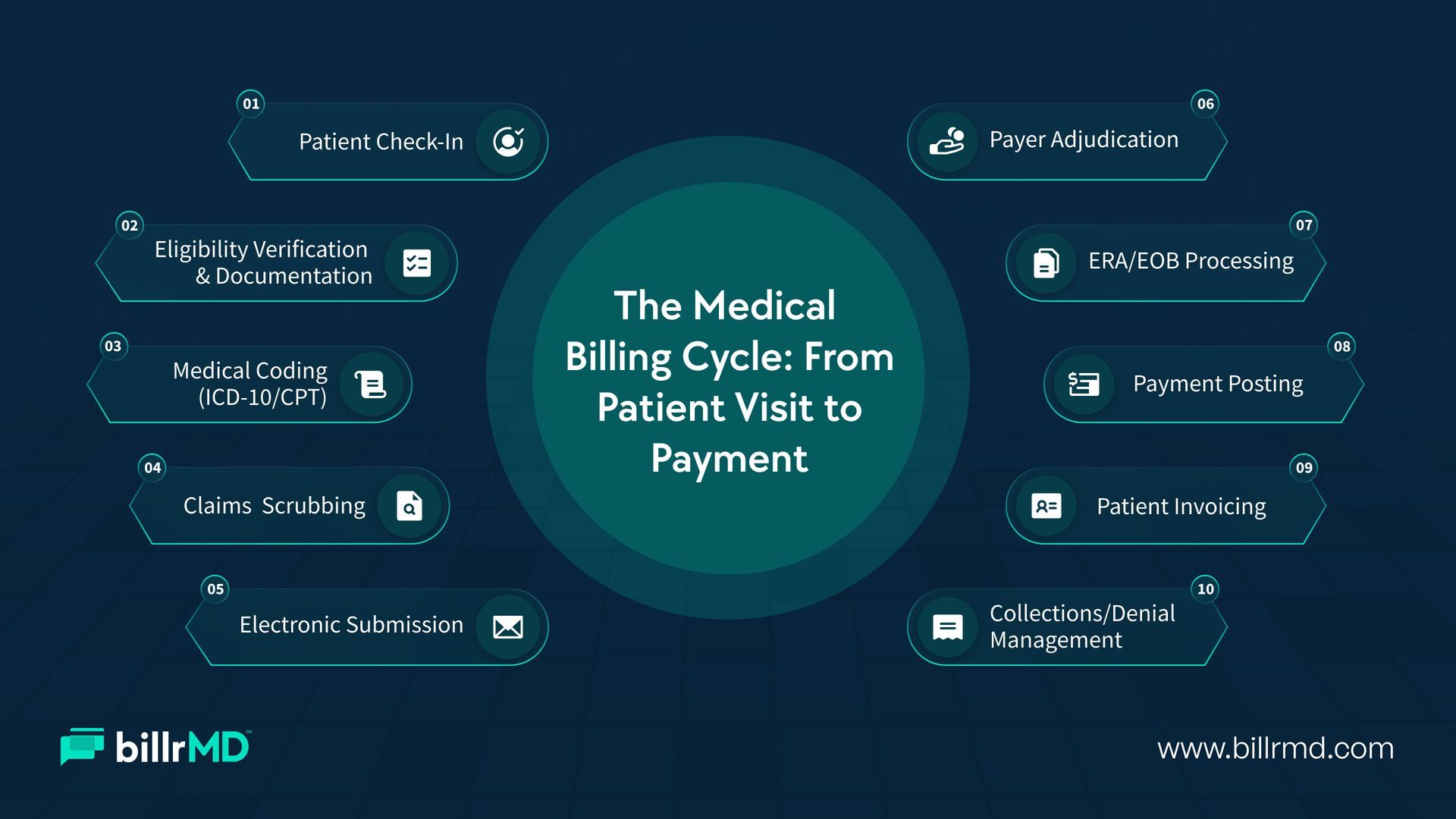
Not all systems are built the same. Understanding the different types of medical billing software will help you narrow down your search.
Cloud-Based vs. On-Premise:
Cloud-based platforms are accessed via a web browser, requiring no local installation and offering automatic updates. Many independent practices are shifting to these solutions for lower costs, easier scalability, and remote access.
billrMD is a fully web-based platform with no downloads or server maintenance needed.
Standalone vs. Integrated
Standalone billing software focuses solely on the revenue cycle. Integrated platforms combine billing, EHR, scheduling, and practice management into a single system. Integrated solutions reduce manual data transfers between systems and provide a more unified view of both clinical and financial operations, though they require more initial setup and coordination.
Specialty-Specific vs. General
Some platforms are built for specific specialties, such as behavioral health, physical therapy, dermatology, or cardiology. These come pre-configured with relevant code sets, payer rules, and workflow templates. General billing platforms offer broader flexibility but often require more customization to match specialty-specific requirements.
In-House vs. Outsourced
This is less about software type and more about who manages the billing function. In-house billing gives practices direct control over the process. Outsourced billing, or managed billing, shifts that responsibility to a third-party team of coding and billing specialists. Many practices find that using robust billing software in-house is more cost-effective at scale, while others prefer the expertise that comes with a dedicated billing service. billrMD supports both models.
Tips on How to Choose a Medical Billing Software
Selecting the right partner is a big decision. If you are wondering how to choose a medical billing software, start by evaluating your specific workflow.
Does the software integrate with your current EHR?
Is the user interface intuitive, or will your staff need weeks of training?
You should also look for a vendor that offers excellent customer support. In the world of billing, a few hours of downtime can mean delayed revenue. Check for hidden fees, such as costs for implementation or per-claim charges, to ensure the platform fits your budget.
Future Trends in Medical Billing
The landscape is shifting toward automation. Key trends in medical billing include the rise of Artificial Intelligence (AI) for predictive analytics, which can predict which claims are likely to be denied before you even send them. We are also seeing a shift toward mobile-first patient payments, allowing patients to pay their bills as easily as they buy something on Amazon.
Staying ahead of these trends ensures your practice not only survives but thrives in a competitive market.
Why Choose billrMD?
At billrMD, we understand that your focus should be on patients, not paperwork. Our cloud-based platform is designed to tackle the toughest billing challenges while providing the transparency you need to manage your business. From automated "scrubbing" to deep-dive financial analytics, we provide the tools you need to maximize your revenue.
With a 99% first-pass acceptance rate, a built-in library of over 73,000 medical billing codes across ICD-10, CPT, and DSM-5, and fully configurable patient invoicing tools, billrMD gives practices the infrastructure they need to reduce denials, accelerate collections, and maintain clear financial visibility. There's no software to install, no hardware to maintain, and no need to outgrow the platform as your practice grows.
Conclusion
The financial performance of a medical practice depends on accurate, consistent billing built on a foundation your team can actually work with. Medical billing software does more than automate paperwork. It creates the visibility, error-checking, and workflow structure that make one of healthcare's most complex administrative processes manageable.
Knowing which features drive real results, which challenges to prepare for, and how to evaluate platforms critically puts you in a much stronger position to make a decision that serves your practice not just today, but as it continues to grow.
Eliminate Procedural Redundancies
Frequently Asked Questions
Is medical billing software the same as an EHR?
Not exactly. An EHR (Electronic Health Record) focuses on clinical data and patient history. Medical billing software focuses on the financial side: claims, payments, and revenue. However, many practices use integrated systems that do both.
Can small practices afford high-end billing software?
Yes. Cloud-based models have made professional-grade software much more affordable by offering subscription-based pricing that scales with your volume.
How does software reduce claim denials?
The software uses "claim scrubbing" technology to check for errors, missing fields, or incorrect codes against a massive database of payer rules before the claim is submitted.
Is my patient data secure in the cloud?
Reputable cloud providers use enterprise-level encryption and security protocols that often exceed what a typical small office could provide on an internal server, ensuring full HIPAA compliance.
Recent Posts